Connecting a custom MCP server with openwork takes four clicks.
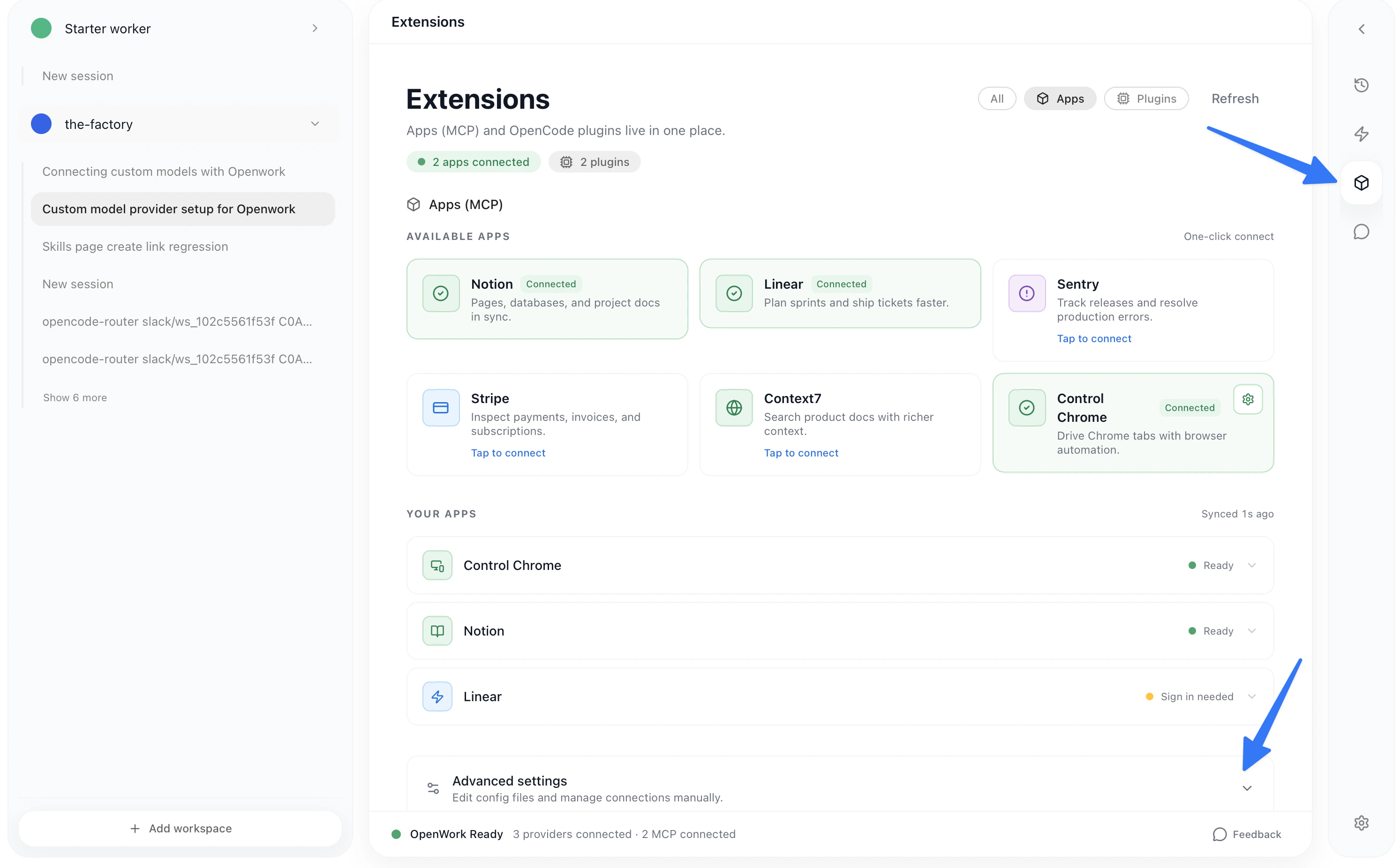
  • Inside your workspace, click in Extensions > Advanced Settings > Add MCP server
Extensions page with Advanced Settings link
You can choose to add the MCP server in this workspace or for all workspaces (global Ow config)
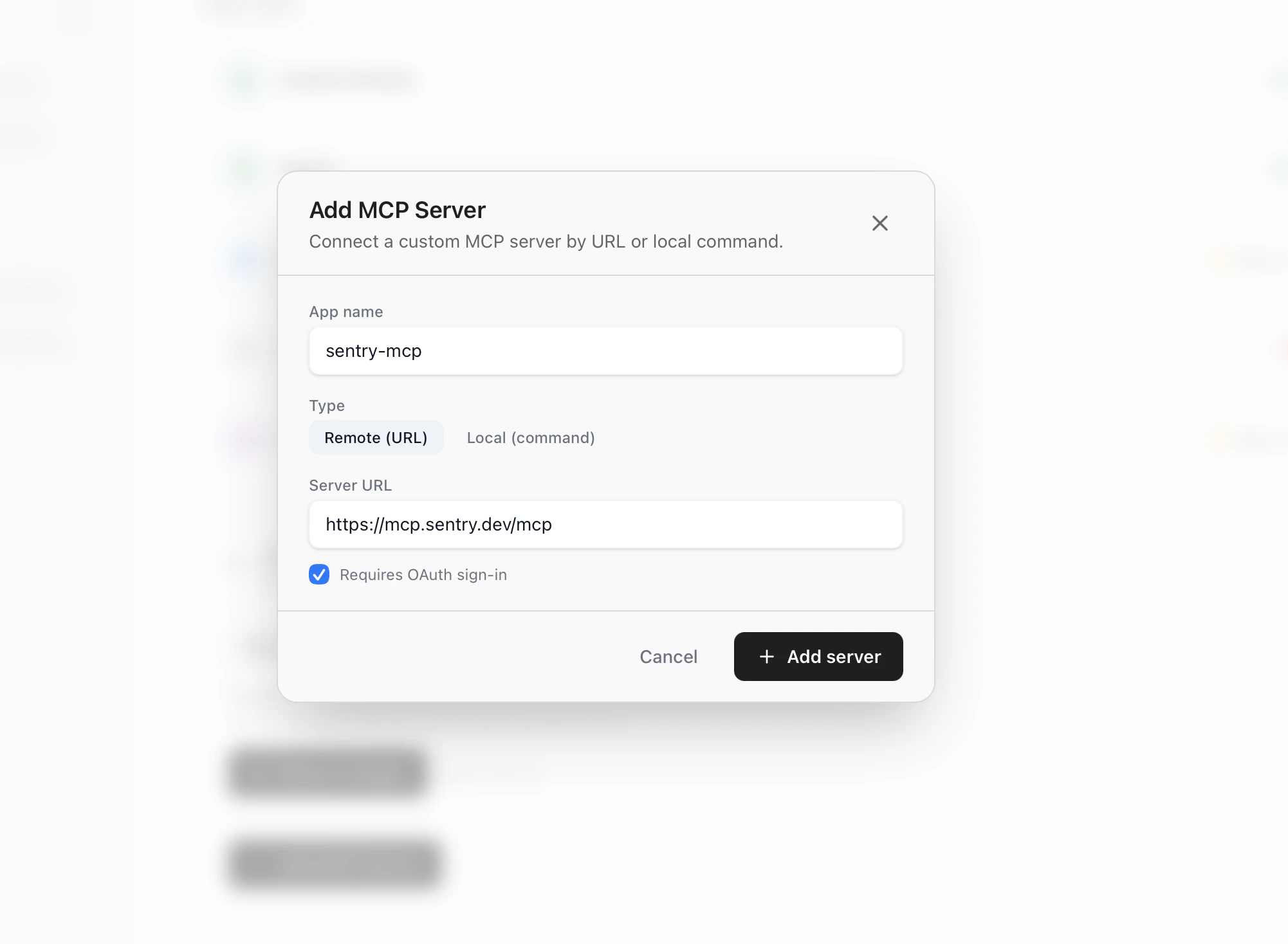
Add MCP Server dialog with name, URL, and OAuth toggleYou should indicate wether it requires OAuth or not.
This setup is aimed at servers that allow for dynamic user registration (eg: OAuth based MCPs)
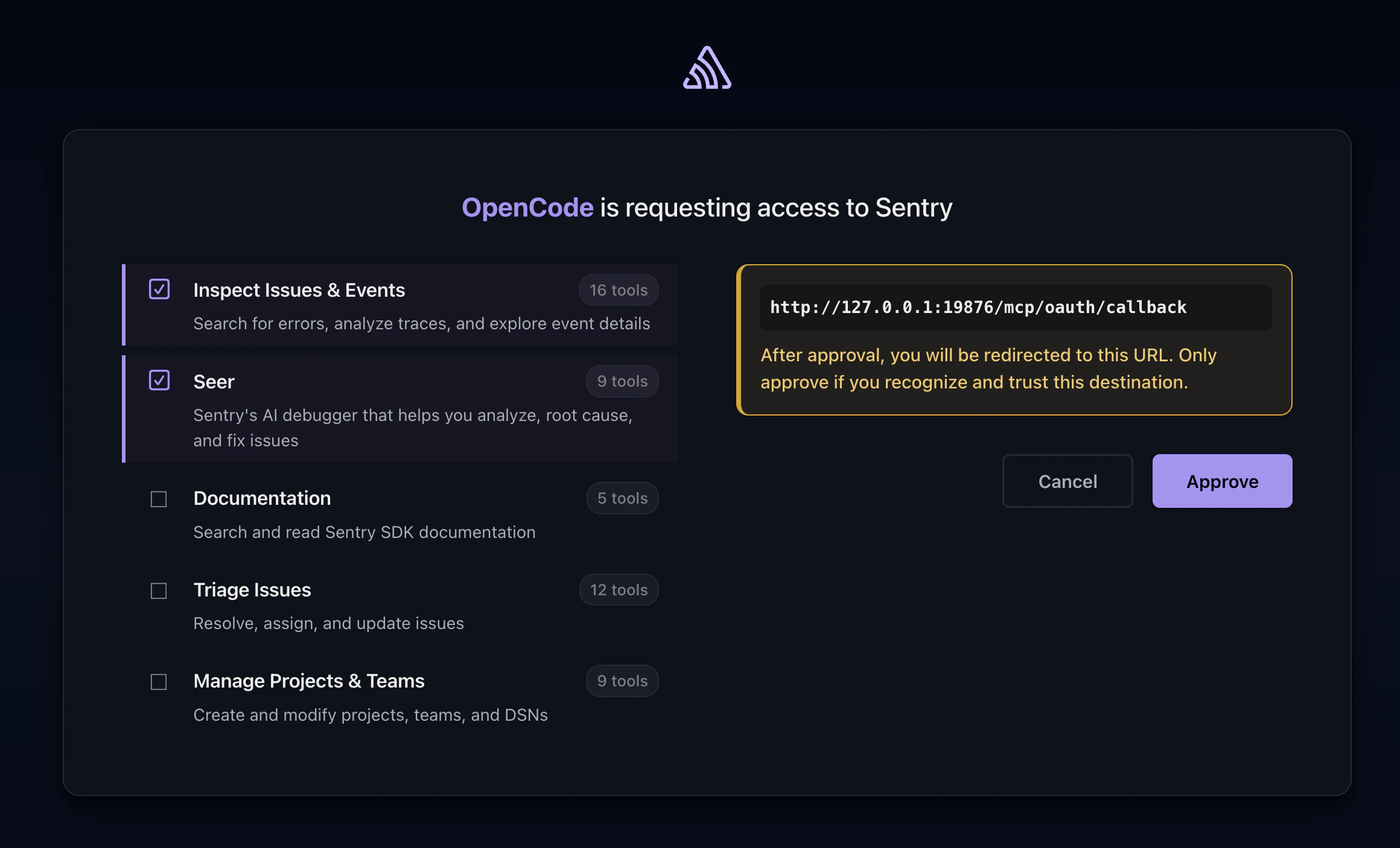
OAuth approval page for MCP server
Once in their Oath page, you should just continue with the registration or custom setup. It should redirect back to openwork. Feel free to open an issue if you require a custom MCP that we currently do not support.

Troubleshooting

Some MCP servers do not support dynamic client registration. We do not currently support them.
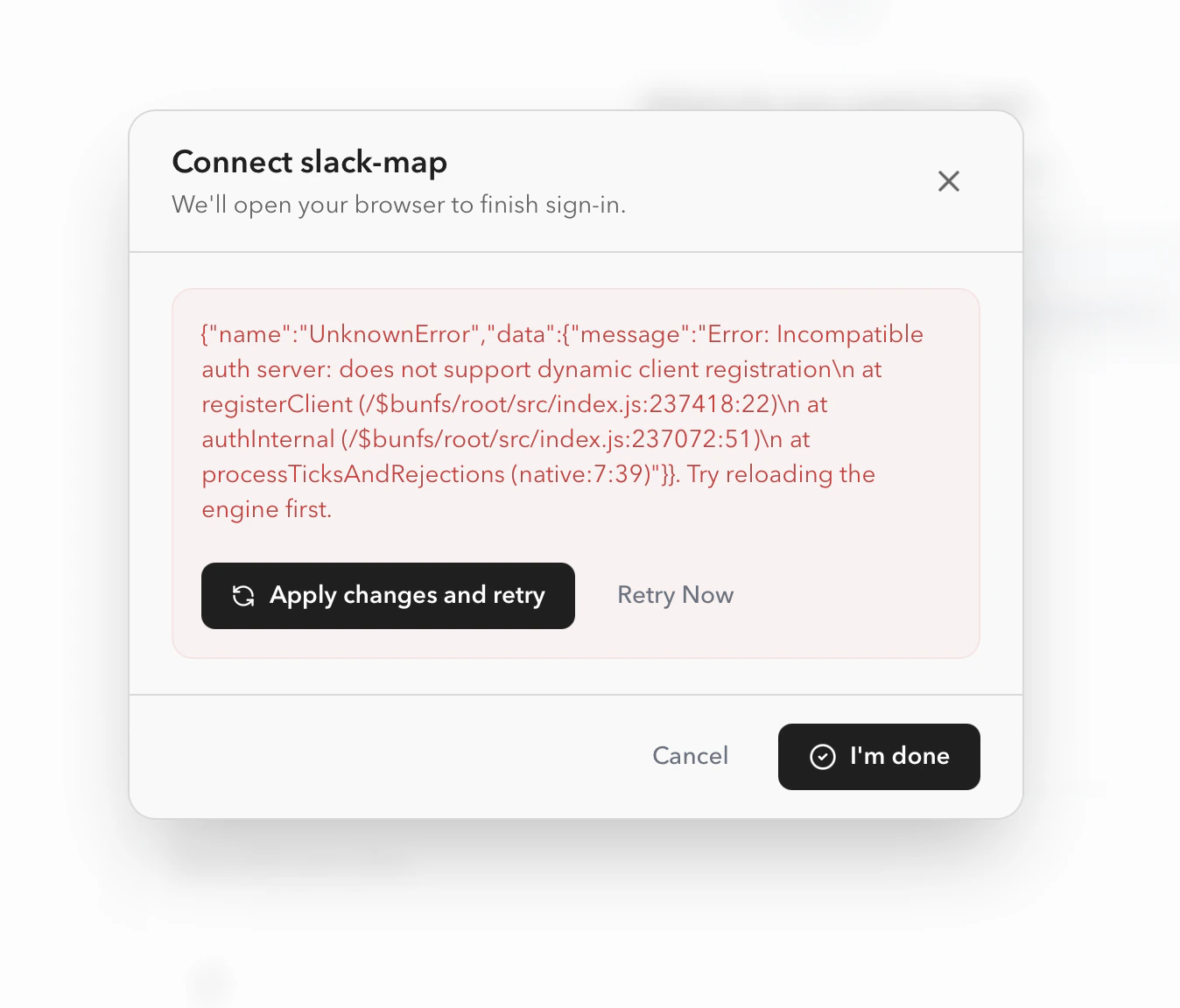
Error when MCP server does not support dynamic client registration