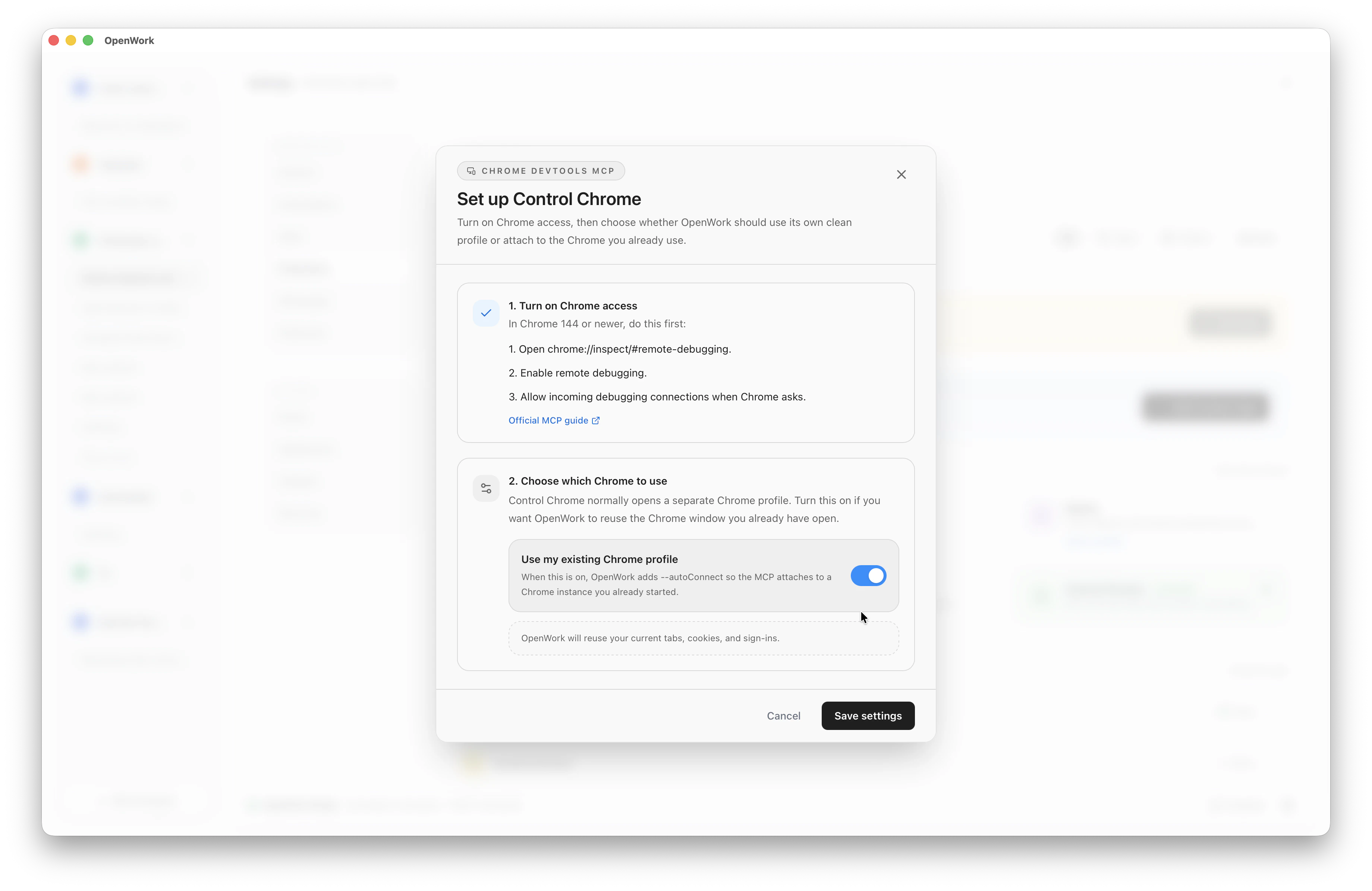
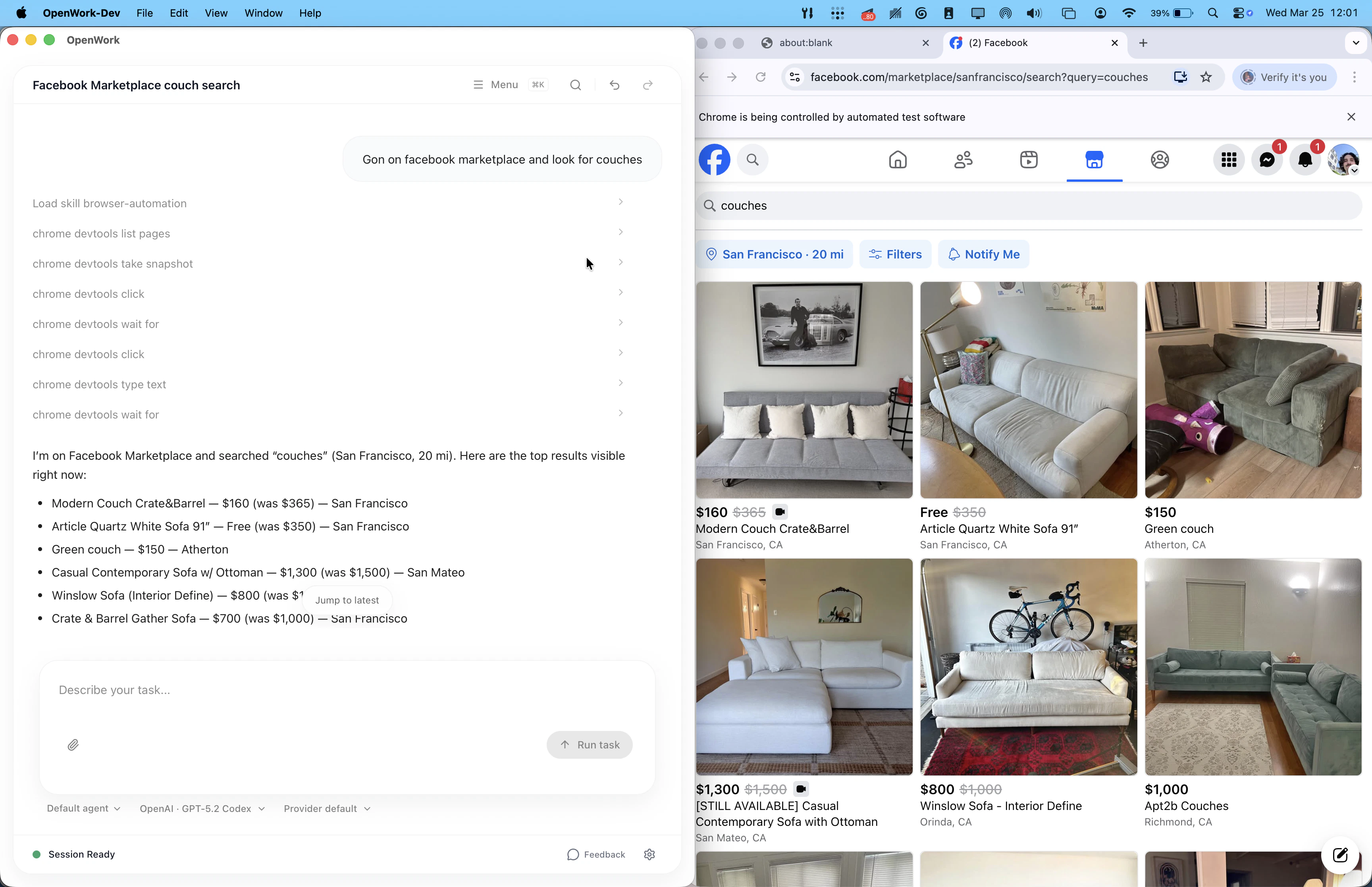
Computer-Use in OpenWork currently works as a browser automation in Google Chrome. It does not yet mean full desktop control of Ubuntu, macOS, or Windows apps. With the right skills, your OpenWork agent will be able to runs browser actions and take screnshots as proof of having completed said actions. If you connect to a remote OpenWork server, that remote machine also needs to have Chrome installed. Today, the supported path is Control Chrome, which uses Chrome DevTools MCP.

Requirements

  • Google Chrome on the machine running the session
  • In Settings > Extensions > Control Chrome
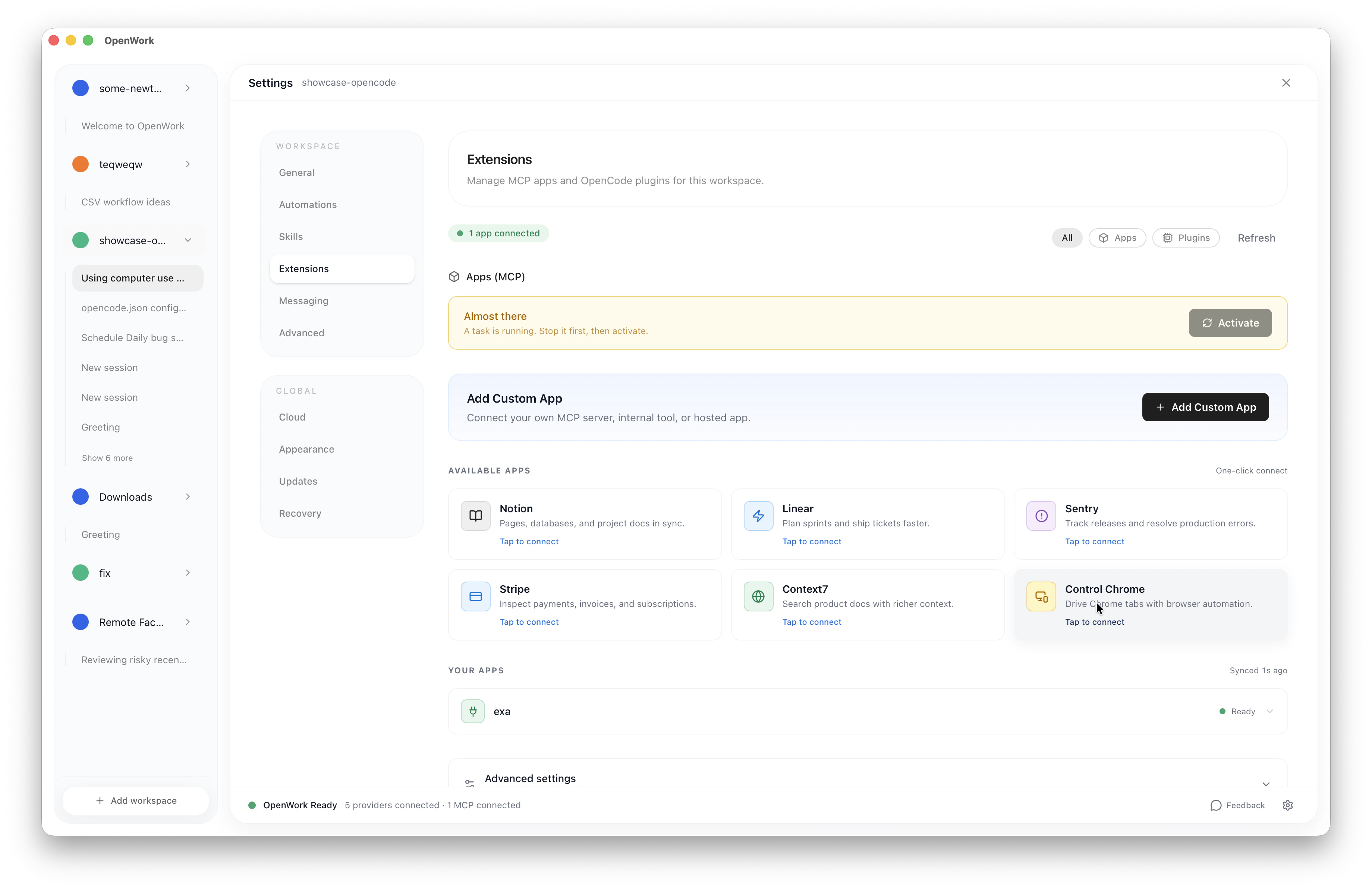
Screenshot 2026 03 25 At 11 47 52
  • Enable it and follow the instructions in the configuration screen Note: do note use “Use my existing Chrome profile”. It’s currently not well supported.
    Image
    Go back to the session view and ask it to open a website Image