

Step 1: Install on your remote server
Install the npm package:Step 2: Start OpenWork in your workspace
Run OpenWork where your code lives: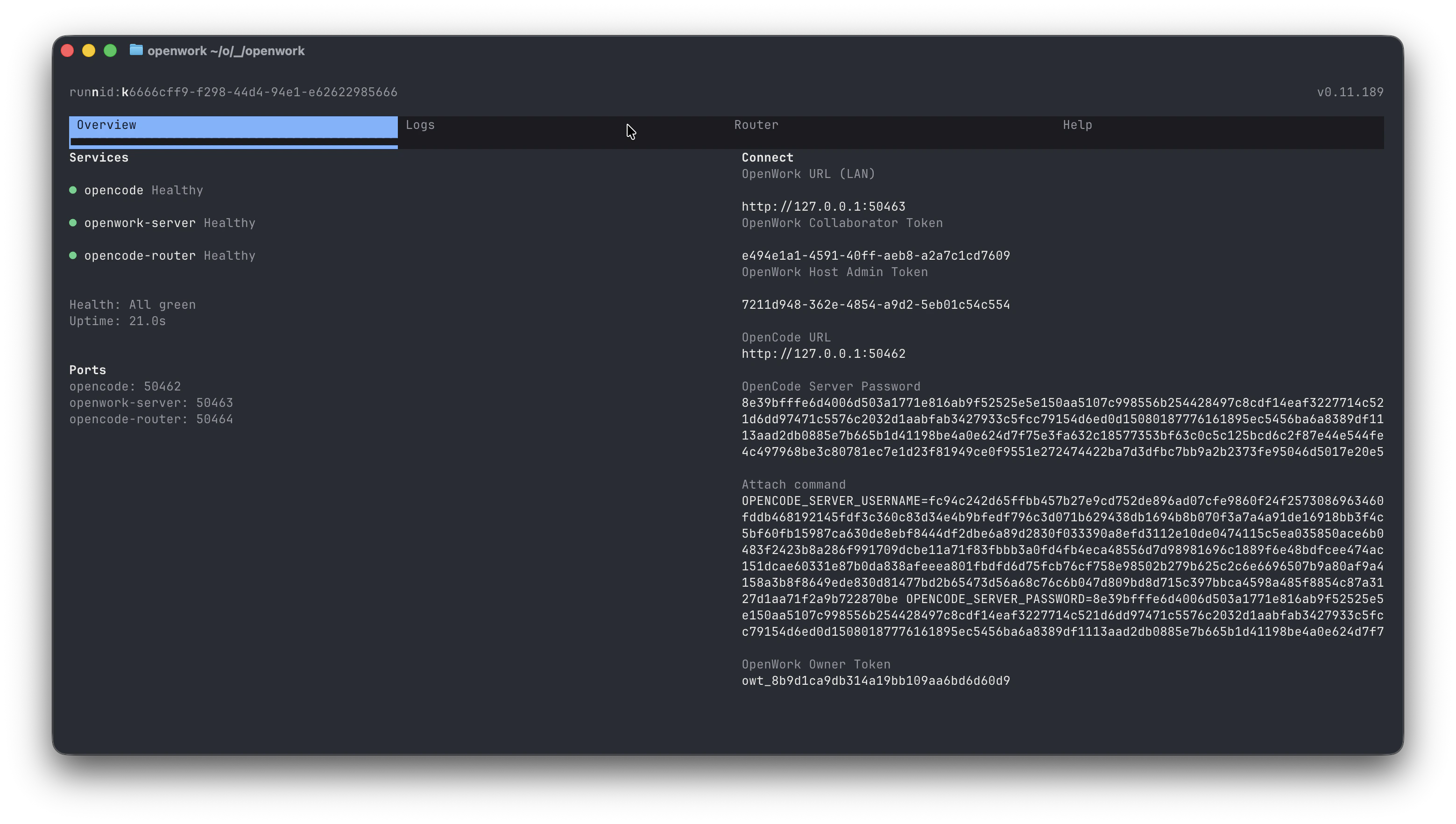
OpenWork URLOpenWork Owner Token
Step 3: Connect the OpenWork desktop app
On your local machine, open the OpenWork desktop app and connect into a remote workspace with:- On the bottom left click
+ Add a worker - Then click
Connect remote - Paste in the
OpenWork URLandOpenWork Owner Tokenfrom earlier
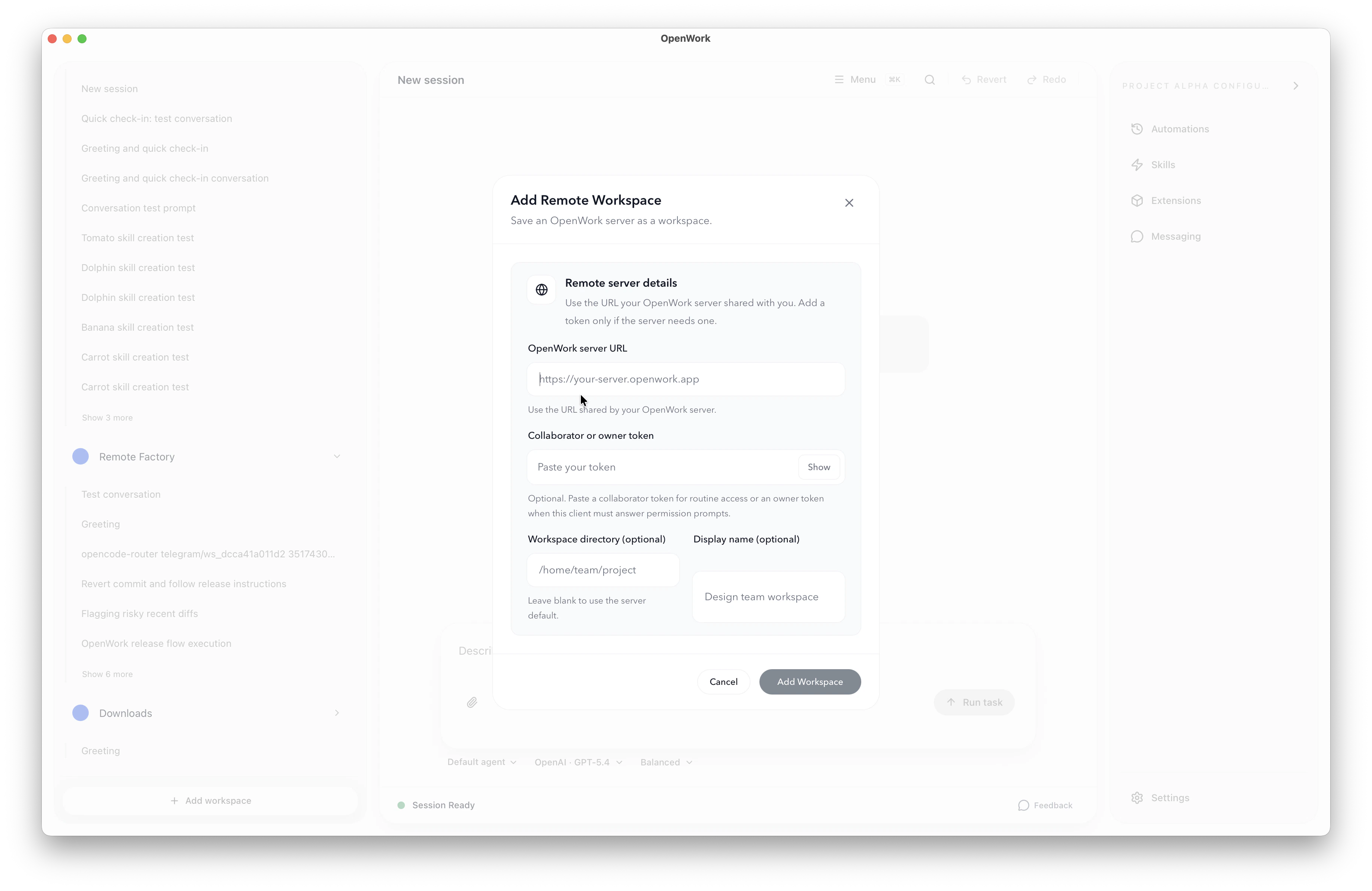
Open in OpenWork can prefill that remote-connect flow for you. The manual fallback is still the same Add a worker -> Connect remote path with the worker URL and token.
What this gives you right away
- Your code and services stay on the remote machine.
- Your local machine stays light.
- You get a fast path from install to a connected remote OpenWork workspace.